In many enterprises, mainframe applications remain at the heart of daily operations. These systems, often written decades ago in COBOL, continue to power mission-critical workloads. But maintaining them is difficult. They’re complex, hard to integrate with modern platforms, and new developers rarely have the skills to work with them.
How often has your team faced delays because updating or extending a COBOL application took weeks instead of days? Or struggled to onboard new engineers who found the codebase nearly impossible to navigate?
Now, imagine taking that same COBOL application, analyzing it automatically, generating clear technical documentation, and even transforming it into modern Java code — all with the help of AWS.
That’s exactly what we’re going to do today, use AWS Transform to modernize mainframe applications in a structured, automated way.
In this blog, we’ll walk through how to set up AWS Transform to analyze COBOL applications, generate documentation, and refactor code into Java.
What are we building?
We’ll use AWS Transform to:
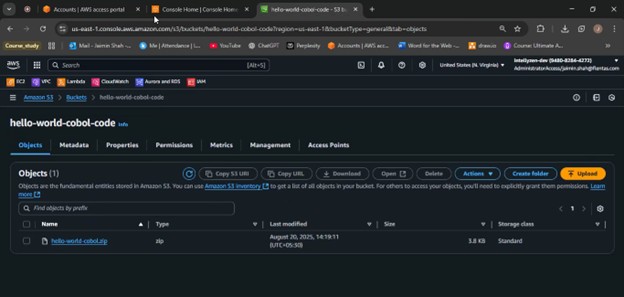
1. Store COBOL code in Amazon S3.
2. Analyze and document the application.
3. Break it into smaller modules.
4. Transform COBOL into Java code.
5. Generate user documentation via AI Agents
This tool helps admins, developers, and support engineers quickly understand user permissions without combing through the AWS console.
When to use AWS Transform?
1. You need to migrate COBOL applications: Quickly analyze and refactor them into Java.
2. Your team struggles to understand legacy code: Generate clear technical documentation.
3. You’re planning cloud adoption: Break applications into modules for smoother migration.
4. You want faster modernization: Automate repetitive refactoring tasks
High-Level Architecture
| Component | Description |
|---|---|
| Amazon S3 | Stores COBOL source code, copybooks, and JCL files for analysis. |
| AWS Transform | Analyzes, documents, decomposes, and transforms COBOL applications into Java. |
| AWS IAM | Manages secure access to S3, KMS keys, and AWS Transform operations. |
| AWS KMS (Optional) | Provides encryption for source code and transformation artifacts. |
Step-by-Step Implementation:
Step 1:
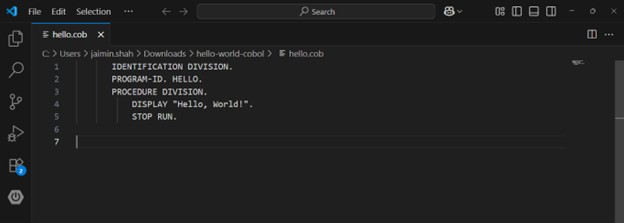
Input source code here
Create S3 bucket for mainframe source code
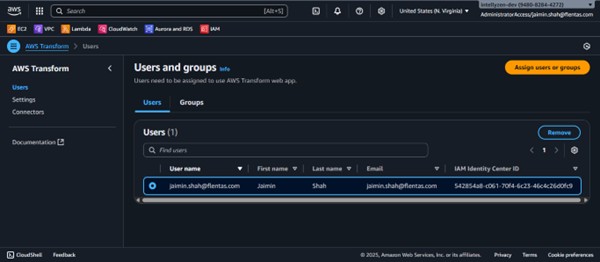
Step 2: Assign user to AWS Transform
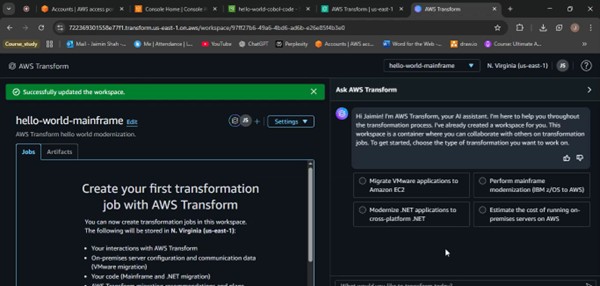
Step 3: Create workspace in AWS Transform
Step 4: Approve the Connector and IAM role
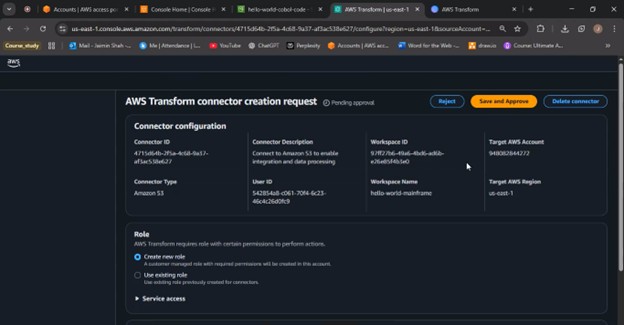
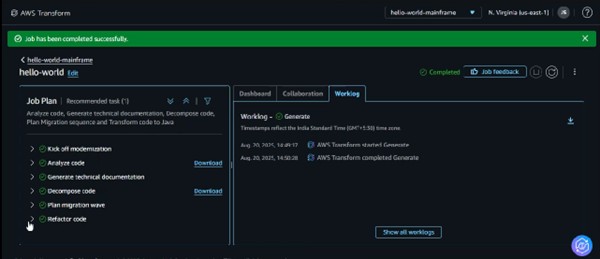
Step 5: AWS Transform Steps
Kick off modernization: Start the process by uploading your COBOL source code into S3 and creating a job in AWS Transform.
Analyze code: AWS Transform scans the COBOL programs, identifies dependencies, and builds a clear picture of the application.
Generate technical documents: The tool creates easy-to-read documentation, such as flow diagrams and reports, to help teams understand the code.
Decompose code: Large applications are broken down into smaller, manageable modules for easier handling.
Plan migration wave: Organize the modules into phases (or “waves”) so you can migrate step by step instead of all at once.
Refactor code: COBOL code is automatically transformed into modern Java projects that can be built, tested, and deployed.
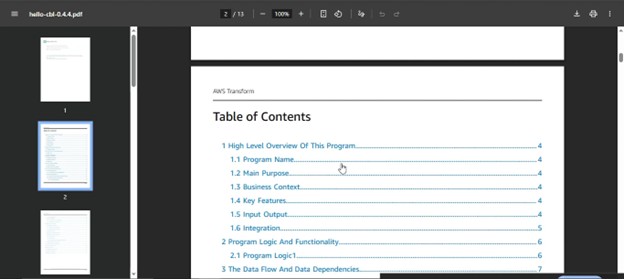
Technical Documentation Output
The documentation is a comprehensive explanation of the entire codebase, including its structure and functionality.
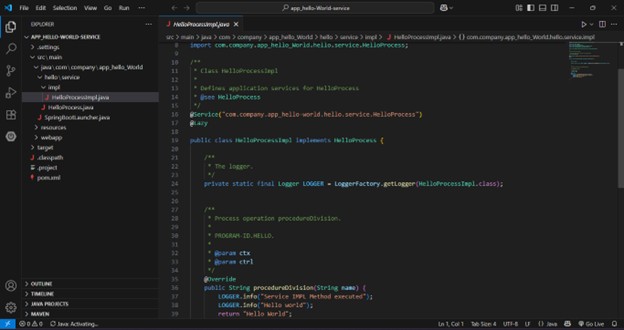
Converted Code Output
COBOL programs are transformed into Java Spring Boot applications.
Benefits of AWS Transform:
Faster modernization → Automates COBOL-to-Java refactoring.
Better understanding → Generates clear technical documentation.
Reduced risk → Breaks applications into smaller, manageable modules.
Cloud readiness → Creates Java code that runs on modern platforms.
Efficiency → Cuts down manual effort and accelerates migration timelines.
Conclusion:
Modernizing mainframe applications no longer needs to be a slow, manual process. With AWS Transform, organizations can analyze COBOL systems, generate detailed documentation, and refactor legacy code into Java with minimal effort. By breaking applications into manageable parts and providing a structured migration path, AWS Transform helps reduce risks, accelerate timelines, and prepare applications for cloud-native deployment. This approach not only preserves critical business logic but also unlocks the flexibility and scalability of modern architectures — enabling teams to focus more on innovation and less on maintaining legacy systems.


